Shopping Cart
AbayMart Website
5.1 Opening the Shopping Cart
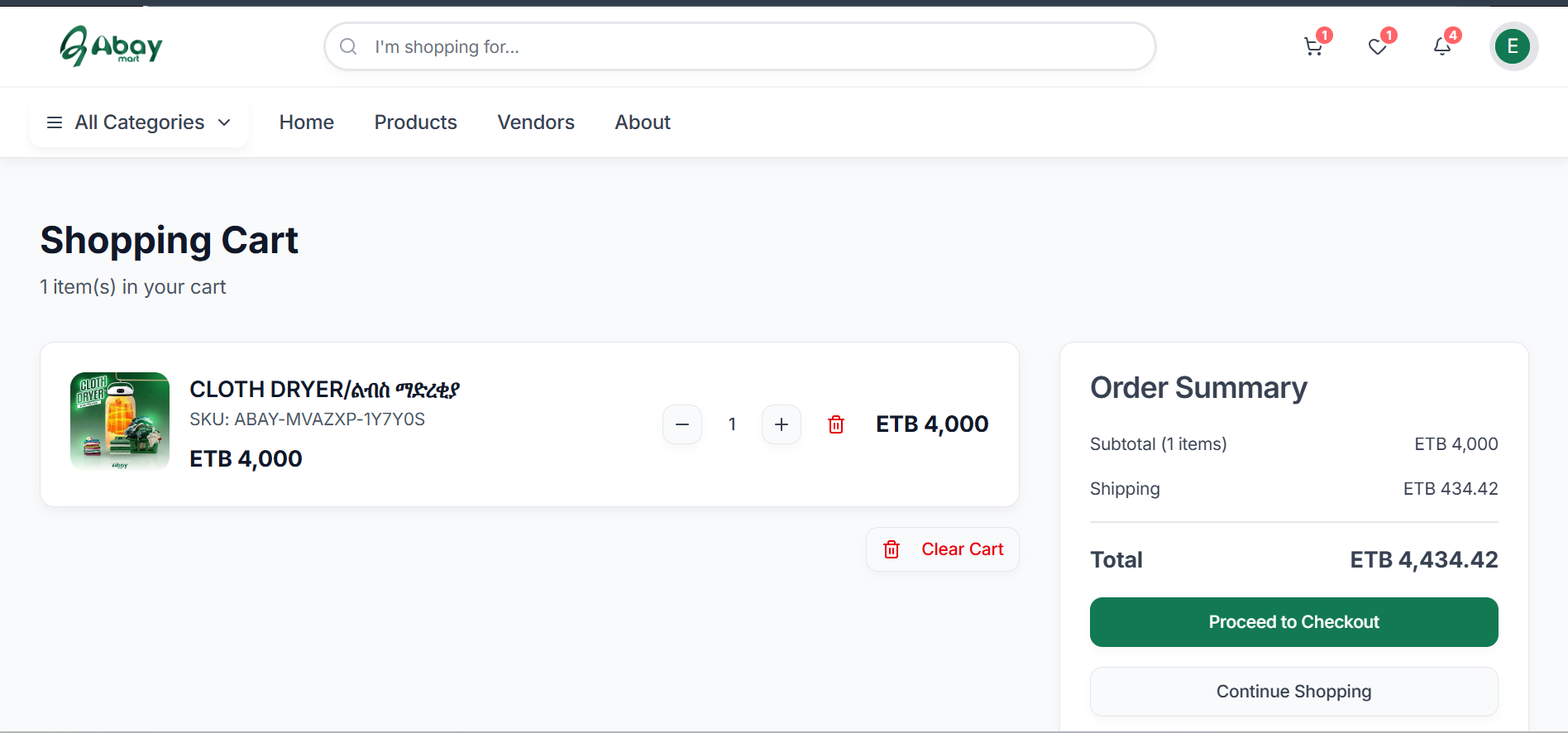
The Shopping Cart stores products you selected before proceeding to checkout. After selecting Add to Cart, open the cart using the cart icon in the website navigation. The Shopping Cart page displays the number of items currently added to the cart.
5.2 Reviewing Cart Items
Each cart item displays information such as:
- Product name
- SKU
- Price
- Quantity
- Controls for changing or removing the item
5.3 Changing Quantity
Use the quantity controls beside an item to increase or decrease the number of units you want to purchase.
5.4 Removing Products
Remove an individual product from the cart using its remove control. Use Clear Cart when you want to remove all products from the shopping cart.
5.5 Order Summary
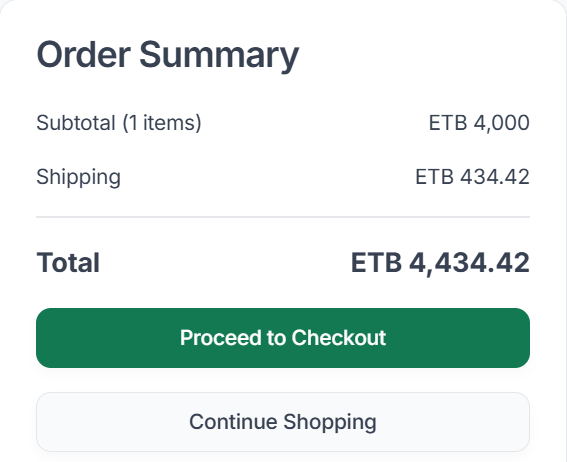
The Order Summary provides a breakdown of the purchase, including:
- Subtotal
- Shipping cost
- Total amount
The shipping cost can change once you choose a shipping method at checkout, so always check the final amount on the Payment page before placing the order.
5.6 Continuing Shopping or Checking Out
From the cart, choose between:
- Continue Shopping – return to shopping and add more products.
- Proceed to Checkout – continue with the purchase process.