Getting Started
AbayMart Application
Downloading the Application
The Abay Mart website provides application download options in the Get the App section, and the homepage banner includes a Download Android App button. Choose the store for your device:
- App Store for Apple devices
- Google Play for Android devices
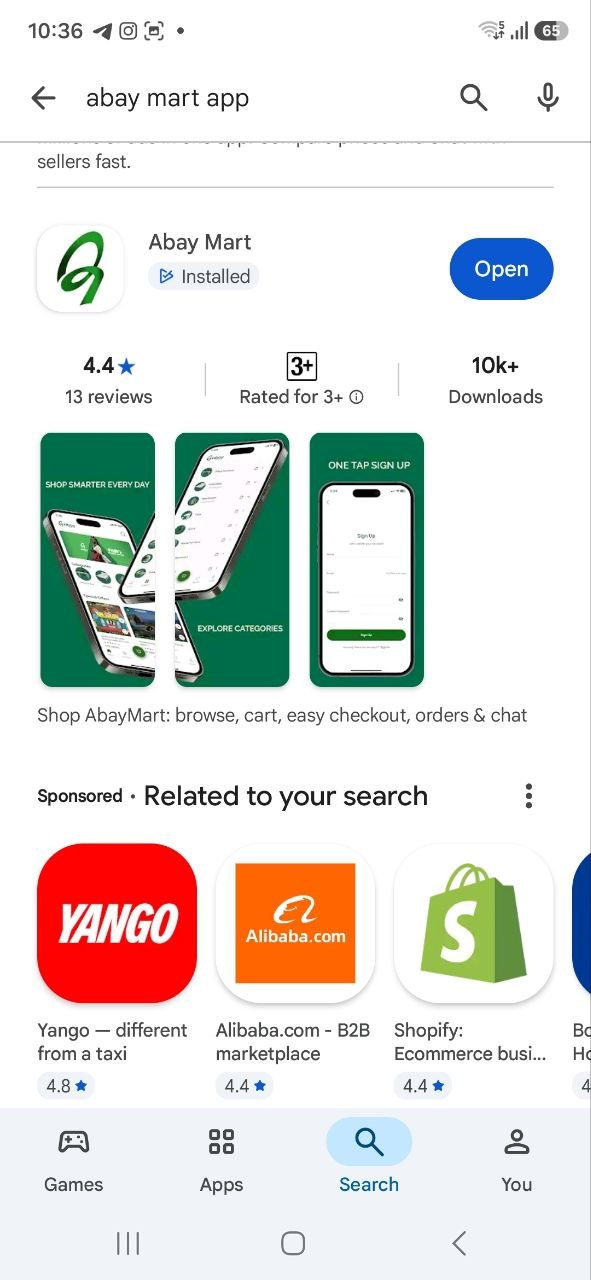
The Android application is listed on Google Play as Abay Mart and is published by Meri Technologies. Its description identifies browsing products, using the shopping cart, checkout, managing orders, and chat.
Installing the Application
- Open the App Store or Google Play on the mobile device.
- Search for Abay Mart.
- Confirm that the application is the official Abay Mart application.
- Select Install or the equivalent download option.
- Wait for the installation to complete.
- Open the application and begin using Abay Mart’s mobile services.
The exact interface and available options may vary depending on the application version and device.
2.2 Onboarding Screens
- On first launch, swipe through each onboarding screen to read it, or use Next when offered.
- Use Skip only if the app presents it and you want to leave onboarding early.
- On the last screen, select Get Started if shown; the app proceeds to its current home or account screen.
If a screen is stuck, check connectivity and restart the app. Exact onboarding wording can vary by release.