Applying to Become an Affiliate
Affiliate User Guide
2.1 Signing In
Affiliate features are available after signing in with an active Abay Mart customer account.
- Open your browser and go to the official Abay Mart website: https://abbaymart.com
- Select Sign in from the main navigation.
- Enter your registered email address or phone number and password.
- Complete reCAPTCHA or any other security verification if requested.
- Click Login.
2.2 Applying on the Website
- Visit the official Abay Mart website: https://abbaymart.com
- Create an account, or sign in if you already have one.
- Open your profile by selecting your profile avatar in the header.
- Locate and select Affiliate in the profile menu.
- Start the affiliate application from the Affiliate section.
- Complete the required application fields and follow the form’s instructions.
- Review your information, accept the Affiliate Program Terms and Conditions (select the agreement checkbox), and click Submit Application.
The application form asks for:
- Affiliate Type: Standard, Campus Ambassador, Influencer, or Corporate Reseller.
- University Name, if you select Campus Ambassador.
- The front and back of your national ID.
- A Payout Method: Telebirr, YagoutPay, or CBE.
- The Account Name. It must match your official identity documents.
- The Account Number or relevant mobile/bank account number.
- Optionally, a preferred custom promo code, such as HALID10.
- Optionally, your active promotional social-media links.
Important: Changing the account holder name later triggers mandatory identity/KYC re-verification.
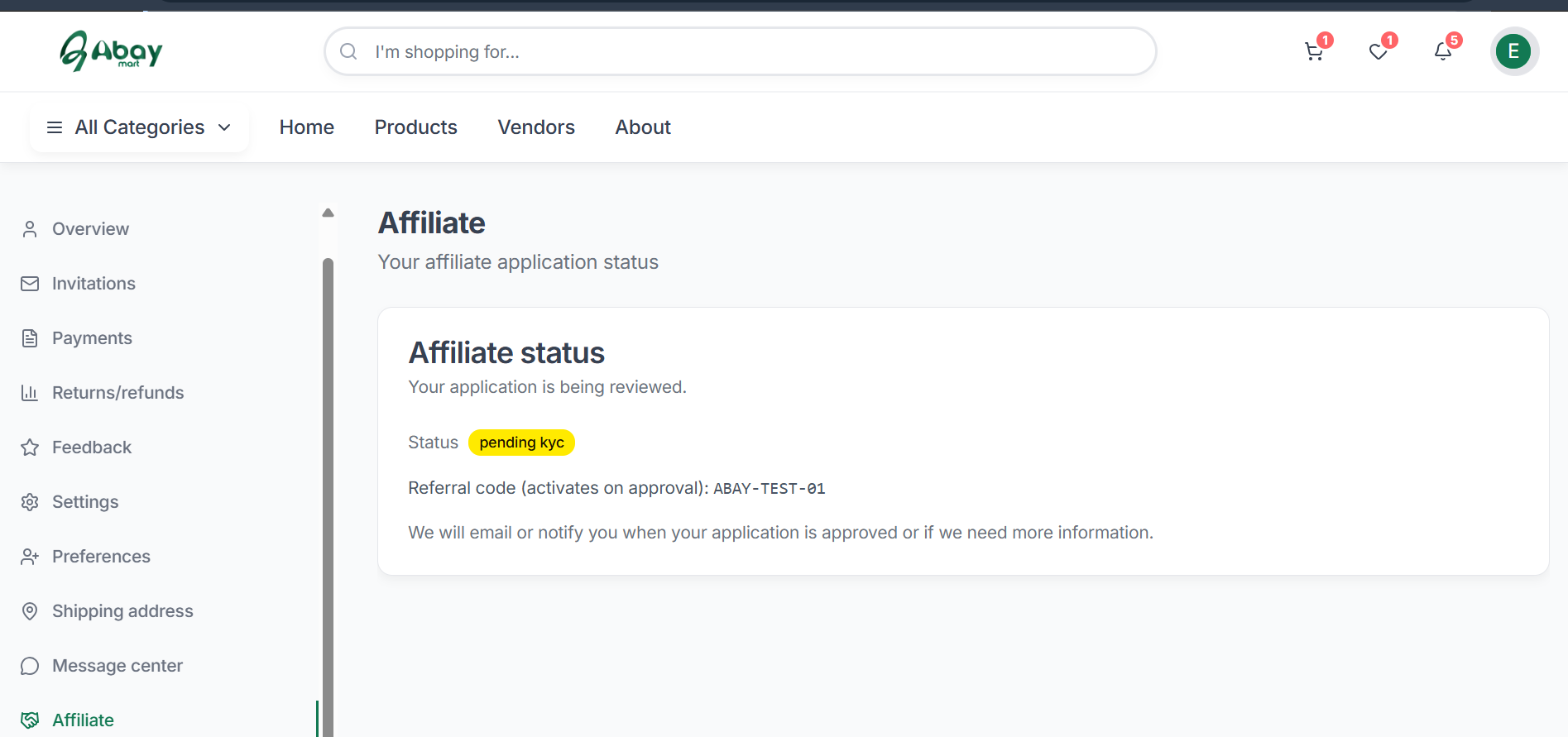
After you submit, your application is created with the status Pending KYC at the Bronze tier. A unique code is reserved for you but stays switched off until your application is approved, and you receive an “application received” email. Only one application is allowed per user account. The Affiliate section of your profile then shows your application status.
3.2 Applying Through the Mobile App
- Open the Abay Mart mobile application and sign in.
- Open the Profile tab from the bottom navigation and select Affiliate Program.
- Select your partner type.
- Enter the required payout information and account details.
- Optionally enter a preferred promo code and social-media links.
- Accept the program terms.
- Tap Submit Application.
2.3 Checking Application Status
After submitting an application, check its status from the Affiliate section.
- Pending KYC / Pending Review – Your application has been received and is being reviewed.
- Approved – Your application has been accepted and affiliate tools are active.
- Rejected / Suspended – Your application has been declined or the affiliate account has been disabled. A reason is displayed when provided.
Administrative review is typically processed within 48 hours. If an application is rejected, the reason is saved and emailed to you, and you cannot earn commission. An administrator can also suspend an affiliate temporarily (links and codes stop earning until the affiliate is re-approved) or terminate an affiliate permanently.